


Check Google Analytics 4 configuration
Identify tracking errors, attribution problems, and e-commerce gaps – before they distort your reports and decisions.
51+ automatic checks
With over 50 different tests, the Auditor finds a lot of errors and makes them visible.
Live API + BigQuery Deep-Analysis
We test using the available Google Analytics APIs and the BigQuery data export
Simple explanations
Simple hints and explanations ensure that you can easily continue working with the errors found.
GDPR-compliant: Read-only
No data storage! No data modification! We are just a “window” to what Google Analytics provides.
Why GA4 data is often incorrect
Many GA4 properties deliver faulty data – without anyone noticing. The problem: Google Analytics 4 is complex. Small configuration errors have a major impact on your reports.
Typical symptoms that indicate problems:
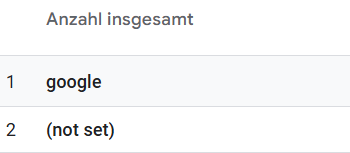
“(not set)” appears everywhere – in pages, campaigns, traffic sources. The proportion of direct traffic is suspiciously high, often over 30%. Sales figures in GA4 differ significantly from the shop backend. Conversions are counted twice or are completely missing. And after the last website update, you don’t know whether your tracking is still working at all.
The consequence: Every decision you make based on this data – whether budget allocation, campaign optimization, or content strategy – is based on false assumptions. You’re optimizing blindly.
A systematic GA4 audit uncovers these problems before they become expensive.
What is a GA4 audit?
A GA4 audit is a systematic review of your Google Analytics 4 configuration and data quality. Unlike a quick look at the dashboard, an audit analyzes the entire tracking chain – from setup to implementation to data output.
Three levels are checked:
At the configuration level, it’s about your setup: Is your GA4 property set up correctly? Are data streams for web and app active? Does enhanced measurement work? Are key events defined and linked to Google Ads?
The implementation level checks your tracking: Are events triggered correctly? Is the e-commerce data correct? Are there tracking gaps, bot traffic, or technical anomalies such as double-fired events?
At the data quality level, it’s about the output: Is the data in your reports reliable? Is the attribution correct? Are there “(not set)” values, self-referrals, or other distortions that falsify your analyses?
Manual vs. automated
A manual GA4 audit by an experienced analyst takes 4-8 hours. Every change to the website or tracking requires a re-check. The ga4-auditor.dev performs the same checks in minutes – and can be repeated at any time. The tool checks both the live configuration via the GA4 Admin API and the actual data in BigQuery.
51+ automatic checks for your GA4 property
The GA4 Auditor analyzes your property on two levels: live configuration via GA4 Admin API and data quality via BigQuery. Each check provides a clear traffic light rating – Pass, Warning or Fail – with concrete recommendations for action.
Configuration & Setup
The auditor checks the status of your enhanced measurement settings and whether all relevant auto-events are active. It analyzes your data streams for web and app for correct configuration. Key events and conversions are checked for completeness. The Google Ads link is validated – crucial for correct conversion tracking in your campaigns. The BigQuery export status shows whether your raw data is being exported.
Attribution & Channels
The auditor automatically detects self-referrals – if your own domain appears as a traffic source, something is wrong with the cross-domain tracking. Payment referrals from PayPal, Klarna and other payment providers are identified because they distort campaign attribution. The proportion of unassigned traffic is analyzed, as is an unusually high direct proportion.
E-Commerce Tracking
For online shops, the auditor checks the completeness of the purchase event: Are transaction_id, items, value and currency present? Duplicate transactions are detected – if the same order is counted multiple times. Missing or zero revenue values are uncovered. The funnel events from add-to-cart to checkout to purchase are analyzed for consistency.
Compliance & Data Quality
PII in URLs – i.e. personal data such as email addresses in page paths – are detected via regex scan. Bot traffic indicators such as unrealistic event frequencies are identified. Session anomalies such as sessions without a start event or with an extreme number of events are reported. Broken pages (404 errors) are analyzed.
Your GA4 audit in three steps
Connect
Sign in with your Google account and select the GA4 property you want to check. The GA4 Auditor only needs read rights to your property. No data is changed, no settings are changed, nothing is saved.
Analyze
The tool automatically checks your GA4 property on three levels: live configuration via the GA4 Admin API, a real-time check to see if events are arriving, and, if BigQuery is activated, an in-depth analysis of the last 30 days.
Act
You will receive a dashboard with traffic light ratings for each check. Green: No abnormalities. Yellow: Take a closer look. Red: Critical problem. Click on a check for details and concrete to-dos.
GA4 API Check vs. BigQuery Deep Analysis
The GA4 Auditor also works without BigQuery – but the deep analysis with BigQuery provides significantly more insights.
GA4 API only: 28 Checks
The pure API check can be used immediately without additional setup. You can use it to check your live configuration: Enhanced Measurement Status, Data Streams, Key Events and Conversions, Google Ads link, BigQuery Export Status. You can also see in real time whether data is currently arriving.
What is not possible without BigQuery: Historical data analysis and event-level checks. You see the configuration, but not what is actually happening in the data.
With BigQuery: 51+ checks
With active BigQuery export, you get all API checks plus the full deep analysis: event quality at raw data level, e-commerce validation with duplicate detection, attribution analysis for self-referrals and payment referrals, bot detection, PII scans for emails in URLs, trend analyses and session gap analysis.
Set up BigQuery export: In GA4 under Admin → Product Links → BigQuery Links. The export is free, only BigQuery storage costs are incurred – for typical websites a few euros per month.
These GA4 errors are found by the auditor – and why they are critical
Self-referrals: When your own domain appears as a traffic source
Self-referrals occur when users switch between subdomains – for example from www.shop.de to checkout.shop.de – and GA4 considers this a new visit. Payment redirects or faulty cross-domain tracking also cause self-referrals. The result: session numbers are excessive because one visit is split into multiple sessions. Attribution is falsified because the original traffic source is lost.
Payment referrals: PayPal & Co. steal your conversions
When users are redirected to PayPal, Klarna, Stripe or bank pages to pay and then return, the purchase appears as a “referral from paypal.com”. The Google Ads campaign that originally brought the user is not credited with the conversion. This massively distorts your ROAS calculation.
Duplicate Transactions: Revenue counted twice
Technical errors can cause a purchase to be sent to GA4 multiple times. Common causes: page reload on the thank you page, double firing of the purchase event due to faulty tag configuration, or browser back navigation. The result: your GA4 revenue is higher than the real revenue. ROAS calculations are incorrect.
“(not set)” everywhere: The symptom of data gaps
“(not set)” is GA4’s way of saying: I didn’t get an expected value. For pages, it usually means: page_title is missing or empty. For campaigns: UTM parameters are incomplete or incorrectly formatted. A high proportion of “(not set)” makes your reports unusable.
PII in URLs: GDPR risk
Personal data such as email addresses, names or telephone numbers sometimes accidentally end up in URLs. This data is sent to GA4 and stored there – a clear violation of GDPR and Google’s terms of use. In the worst case, your property may be blocked.
Bot traffic: When machines distort your KPIs
Bots generate unrealistic behavior: sessions with 500+ events, 60+ events per minute, or hundreds of page views without any interaction. The result: engagement metrics are distorted, traffic numbers are excessive, and if bots trigger conversions, your campaign data is unusable.
The GA4 Auditor is for you if…
Marketing Manager & Performance Marketer
You make daily decisions based on GA4 data. Budget shifts between channels. Campaign optimizations. Bid adjustments. If this data is incorrect, you are optimizing in the wrong direction. The GA4 Auditor shows you which numbers you can trust – and where caution is advised.
Web Analysts & Data Analysts
You are responsible for data quality. Your job is to find problems before they end up in reports. But manually checking 50+ data points is time consuming. GA4 Auditor automates your QA checklist and gives you an overview of where you need to dig deeper.
Agencies & Freelancers
You manage multiple customer properties. For onboarding discussions, pitches or quarterly reviews, you need quick audits as a basis for your recommendations. The GA4 Auditor gives you an overview of the status of a property in minutes.
Your data stays with Google
The GA4 Auditor does not store any analytics data. All queries are made live via the Google APIs with your OAuth authentication. We are just a window to your own data.
Read-only
The tool only reads, it does not change anything in your GA4 configuration.
OAuth 2.0
We do not store passwords. Only a refresh token for API access.
Session-based
We do not store your audit results for the long term.
Frequently asked questions about the GA4 audit
Turn Google Analytics back into a basis for decision-making
Start your GA4 audit now and see in minutes where your data is being distorted – before you base your next decision on incorrect numbers.
No credit card. No installation. Only Google login required.


